Smart Locks for Hotels & Vacation Rentals: The Keyless Entry Guide
Keyless entry is the physical half of check-in automation: without it, "self check-in" still ends with someone driving over to hand out a key. This guide covers how per-guest door codes work, which smart locks to choose for a hotel, apartment building or vacation rental, and the security patterns that separate a professional setup from a lockbox with a sticky note.
Why keys are the bottleneck
Every access method a small property traditionally uses has the same flaw — it requires synchronizing two humans in space and time:
- Metal keys demand a handover, get lost mid-stay, and get copied. Rekeying after a lost key costs more than a smart lock.
- Lockboxes remove the handover but keep one static code that every previous guest, cleaner and contractor knows. Rotating it manually never actually happens.
- Key cards need an encoder at a staffed desk — the exact thing automation is trying to remove.
A smart lock with per-booking PIN codes removes the human synchronization entirely: the code is born with the reservation and dies at checkout.
The lifecycle of a guest door code
The security model that works is simple and strict: one guest, one code, one validity window. The code is generated automatically when the guest completes check-in requirements, delivered through the check-in page and messaging, valid exactly for the stay, and deleted from the lock afterwards.
Choosing the hardware
Keypad first, app second
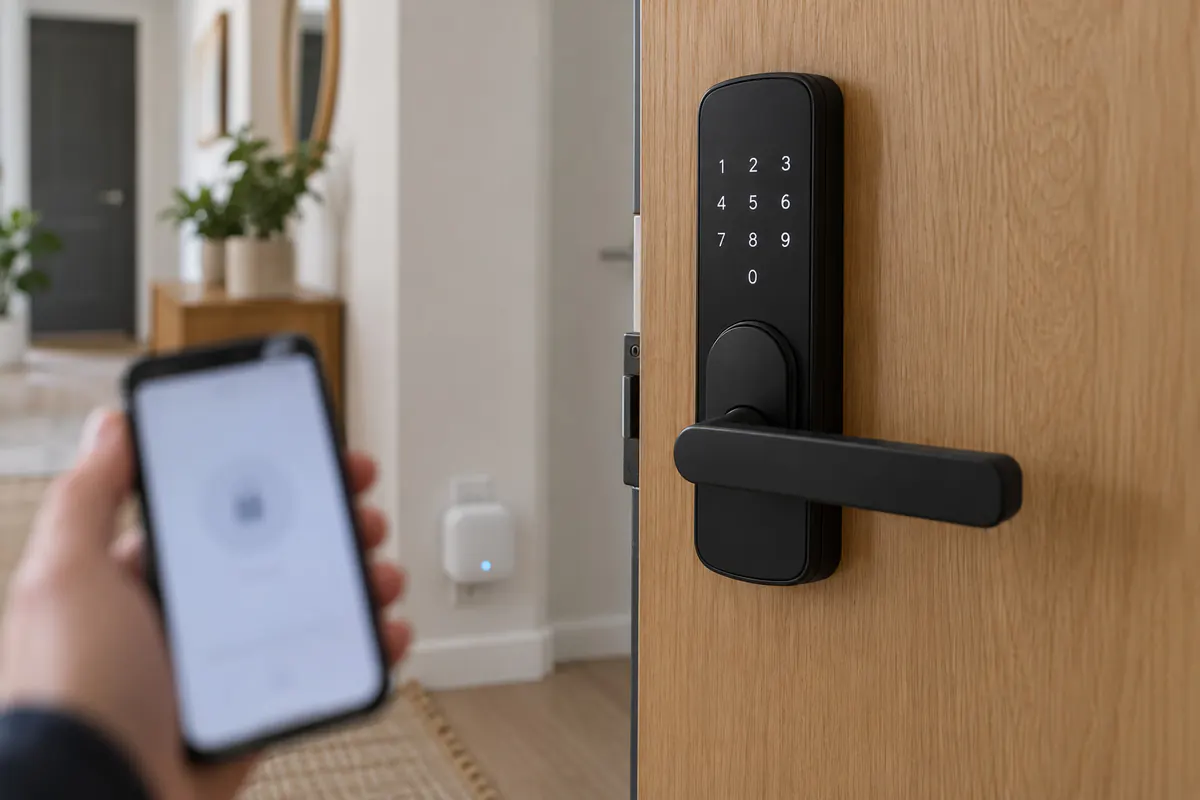
For hospitality, PIN keypads beat app-based unlocking. Guests don't want to install an app, pair Bluetooth in a dark hallway, or depend on a phone battery at 1 am. A 6-digit code typed on a keypad works for every guest, every phone, every age group. App/Bluetooth unlock is a nice extra for the owner and cleaners, not the primary guest path.
Connectivity: how codes get onto the lock
| Type | How it works | Pros | Watch out |
|---|---|---|---|
| Bluetooth lock + gateway (e.g. the TTLock ecosystem) | Lock talks BLE; a small Wi-Fi gateway bridges it to the cloud so codes are pushed remotely | Cheap locks (€50–150), huge model choice, remote code management | Gateway needs power + Wi-Fi within BLE range of the lock |
| Wi-Fi lock | Lock connects to Wi-Fi directly | No gateway | Battery drain; needs solid Wi-Fi at the door |
| Offline algorithmic codes | Time-bound codes computed cryptographically, no connection needed | Works with zero infrastructure | Codes can't be revoked early; time windows are coarser |
| Wired access control | Central controller, wired keypads/readers | Rock solid for main entrances of larger buildings | Installation cost; electrician required |
The BLE-plus-gateway pattern (TTLock and compatible ecosystems) has become the default for independent properties because it hits the sweet spot: inexpensive, retrofittable on existing doors, and fully remote-manageable through an API — which is what lets check-in software create and delete codes automatically.
Main door + room door: the two-lock pattern
Multi-unit buildings need two access levels: the street/main entrance shared by everyone, and each unit's own door. The clean setup gives each booking one code that opens both — the shared main door and that guest's room — so nobody juggles two PINs. For group bookings across several rooms, each sub-booking's guests get their room access plus the shared entrance, and the software keeps the mapping straight.
Security done properly
- Unique per booking. Never reuse codes, never derive them from phone numbers or dates a stranger could guess.
- Automatic expiry. Codes die at checkout (plus a grace period for late departures) without anyone remembering to delete them.
- Access logs. Every open event is recorded — which code, which door, when. Disputes ("we never got in!", "someone entered our room!") become checkable facts.
- Separate staff codes. Cleaners and maintenance get their own long-lived or scheduled codes, so guest codes are never shared and staff access is auditable.
- Battery discipline. Locks report battery level; replace at 20%, and keep a physical override key in a sealed location. Battery death mid-season is the #1 preventable keyless-entry incident.
What it costs, roughly
For a 10-unit guesthouse: ten keypad smart locks (€80–120 each), one or two gateways (€30–60), an afternoon of installation on standard euro-profile doors. Total hardware well under €1,500 — comparable to a few months of the reception hours it eliminates, and far less than one season of key-handover driving for a remote host. There are no per-open fees; the software layer that ties locks to bookings is part of the check-in platform subscription.
Connecting locks to bookings
The hardware is only half the story. The value appears when the lock is wired into the reservation flow:
- Reservation syncs from Booking.com, Airbnb, Expedia or your channel manager.
- The guest completes online check-in — rules, ID verification, payment.
- The platform creates the code on the right lock(s) for the right dates and sends it to the guest.
- If the booking changes — dates move, room changes, cancellation — the code follows automatically.
- At checkout the code is removed and the room flips to "ready to clean".
That last mile — codes reacting to booking changes without human attention — is what distinguishes an integrated system from a smart lock app with manually typed codes. Date changes are exactly when manual processes break, because they happen at inconvenient times by definition.
Door codes on autopilot
ReceptionGO connects TTLock and most major electronic locks to your bookings: a unique code per guest, created at check-in, deleted at checkout — with the whole check-in flow in front of it.
Start free